How to Create a Press Release With Images Editors Can Use
Give editors photographs they can publish without chasing permissions or missing details. Learn how to choose newsworthy images, prepare usable files and deliver a complete visual asset package.

Get featured on 500+ media outlets
Guaranteed placement, no PR experience needed.
A press release with images gives editors more than an announcement: it gives them material they can publish. But a photograph is only useful when its subject is relevant, its resolution is sufficient and its caption and usage rights are clear. A beautiful image buried inside a PDF can still create more work than it saves.
The goal is to deliver a small, complete visual package that works for both direct journalist outreach and distribution services. An editor should be able to identify the people pictured, download the original file and understand whether publication is permitted without sending follow-up questions.
That means treating image selection, file preparation and permissions as part of the release itself, not as finishing touches. The workflow below covers what to supply, how to label it and what to check before sending.
What editors need from a press release with images
Your release should remain understandable without its photographs. Images support the news; they should not contain facts that appear nowhere in the text.
For a straightforward announcement, a practical starting package is:
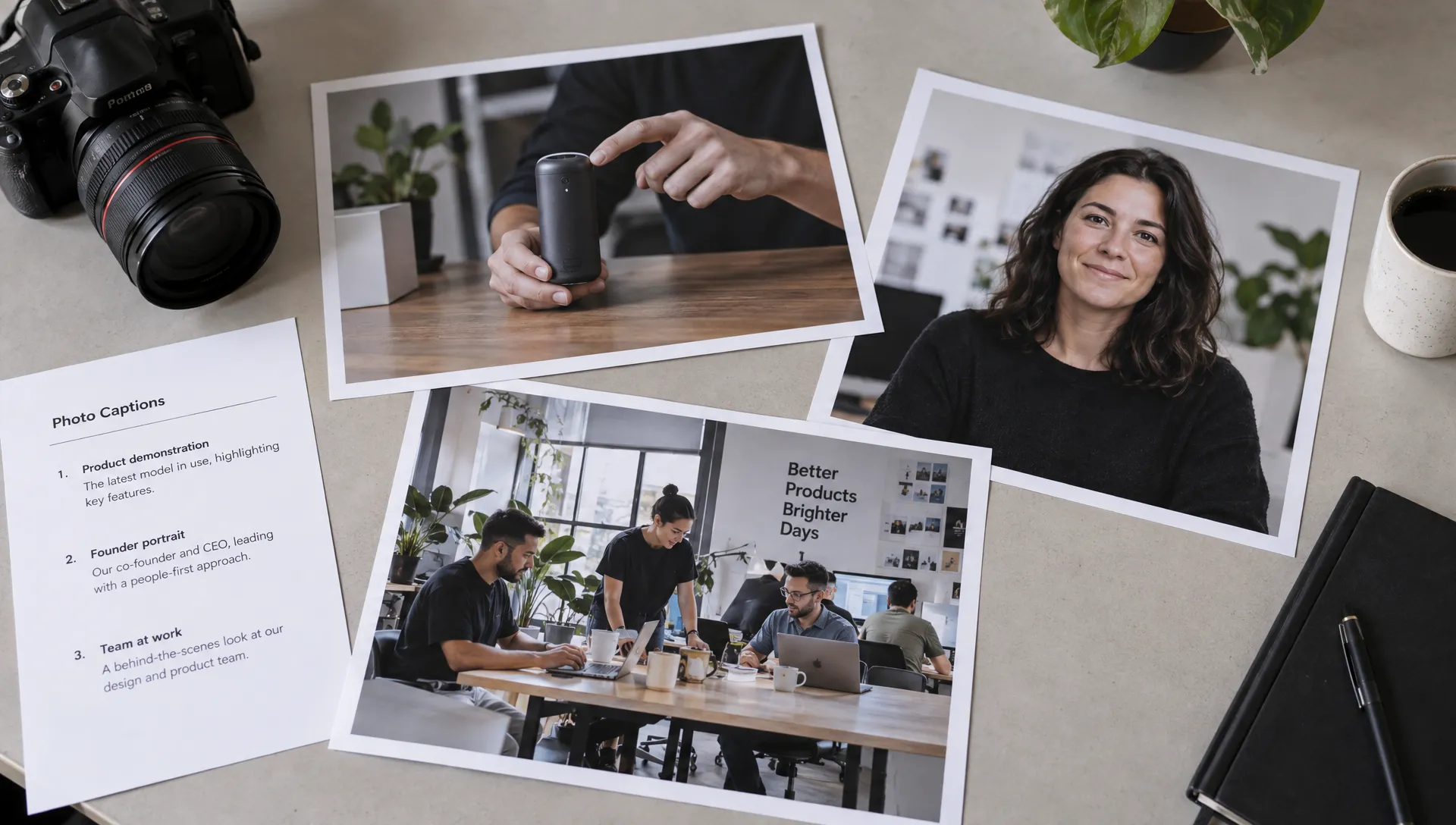
- One lead photograph: The strongest visual evidence of the announcement, such as the product in use or the newly opened location.
- One or two supporting photographs: Alternative subjects or compositions that offer a genuinely different view.
- A separate logo file: Clearly labeled as a brand asset rather than a news photograph.
- A caption and rights sheet: Matching each filename to its description, credit and permitted use.
- A media contact: Someone who can answer questions about both the announcement and the assets.
This is a recommended starting point, not a universal submission requirement. Some publications accept only one image, while others request a larger selection after expressing interest.
Prioritize a few useful files over a folder of near-identical photographs. Editors should not have to compare twenty versions to discover which one you recommend.
Choose photographs that document the announcement
The strongest press release with images shows what changed, rather than simply decorating the page. A product launch benefits from a photograph demonstrating the product. A facility opening benefits from a recognizable location and the activity taking place there.
A founder portrait can support a leadership announcement, but it rarely explains a technical product launch on its own. Similarly, a stock photograph of people shaking hands adds little evidence to a partnership story.
Give editors a usable composition
Choose photographs with a clear subject, accurate color and enough surrounding space for modest cropping. Keep essential details away from the edges because publishers may need a landscape crop, square thumbnail or narrower mobile presentation.
If you have both landscape and portrait versions, provide them as distinct alternatives. Do not create a misleading composition by stretching an image or using generative fill to add people, products or surroundings that were not photographed.
Avoid large promotional slogans, discount badges and watermarks across the subject. Those elements make a photograph harder to use outside your own marketing channels.
Keep graphics separate from photographs
A chart can be useful for a research announcement when it identifies its source, timeframe and units. Supply the underlying figures separately so an editor can verify them or create a different graphic.
Treat promotional artwork as optional supporting material, not a substitute for a photograph that documents the news.
Prepare files for newsroom workflows
A press release with images needs downloadable originals, not just attractive previews. The thumbnail visible in an email or release page may be too small for publication.
The specifications below are practical defaults. Always follow the receiving publication or distribution service’s requirements when they differ.
| Asset detail | Practical starting point | Why it helps |
|---|---|---|
| Photograph format | High-quality JPEG | Broad compatibility and manageable file size |
| Pixel dimensions | Around 2,000 to 3,000 pixels on the longest side, if the original supports it | Leaves room for common web layouts and cropping |
| Color profile | sRGB for web-ready photographs | Helps maintain consistent color across common publishing workflows |
| Logo format | Transparent PNG, with a vector version available on request | Supports different backgrounds and sizes |
| Filename | Descriptive subject and version, such as product-demo-landscape-01.jpg |
Makes files easier to identify outside the download folder |
| File weight | Within the recipient’s stated limit | Avoids upload failures and oversized emails |
Do not enlarge a small image simply to reach a pixel target. Upscaling cannot reliably recover detail that was never captured. Locate the original photograph or commission a replacement.
Pixels matter more than a “300 DPI” label
For web publishing, pixel dimensions determine the image detail available. Changing a file’s DPI metadata does not turn a low-resolution photograph into a high-resolution one.
Print requirements depend on reproduction size and the publication’s production process. If a print editor requests a particular resolution or color profile, provide a separate export rather than assuming the web version will work.
Keep an untouched master file. Export delivery copies from that original and avoid repeatedly opening and resaving a compressed JPEG, which can introduce visible artifacts.
Write captions and alt text that travel with the file
In a press release with images, captions should resolve questions the photograph cannot answer by itself. Identify the subject, explain the activity and provide the location and date when relevant.
A useful caption identifies people from left to right and uses their verified names and roles. It also distinguishes a staged demonstration from a live customer activity.
Here is a fill-in template for a hypothetical product demonstration:
Caption: [Full name], [verified job title] at [company], demonstrates [product] at [location] on [date]. The photograph shows [specific visible activity]. Photo credit: [photographer or rights holder].
Replace every placeholder before distribution. Avoid adding performance claims, customer endorsements or conclusions that the photograph does not establish.
Captions, credits and alt text serve different purposes
A caption supplies editorial context. A credit identifies the photographer or required attribution. Alt text describes the meaningful visual content for people using assistive technology.
For example, alt text might read: “Technician holds a handheld sensor beside a production line.” The caption can then identify the technician, company and announcement. Neither field needs a string of promotional keywords.
The IPTC Photo Metadata Standard provides structured fields for descriptions, creators and rights information. Embed relevant metadata where your tools support it, but also provide a plain-text caption sheet because publishing systems may strip metadata during processing.
Match each caption to an exact filename. Editors should never have to guess which description belongs to which photograph.
Confirm copyright, consent and permitted use
A press release with images is not publication-ready until someone has checked the rights. Possessing a photograph does not necessarily mean your organization can authorize its redistribution to media outlets.
Review the photographer’s agreement, stock license or other permission documentation. Confirm that the intended press distribution and publication are covered, including any attribution requirements or restrictions on editing. Hiring a photographer does not automatically transfer every copyright or usage right.
Separate copyright from permission to show people
Copyright permission and a subject’s consent are different issues. For identifiable customers, employees or patients, document the appropriate permission for the planned use and check applicable privacy requirements. Images involving children require additional care and an appropriate parent or guardian authorization process.
For a cosmetic dental practice such as Creative Smiles in Armadale, a team portrait or practice interior may be a more appropriate press asset than patient before-and-after photographs. If patient imagery is necessary, obtain written permission specific to media distribution and confirm the applicable healthcare privacy and advertising requirements. Permission for a clinic website should not simply be assumed to cover third-party publication.
Before-and-after images also need accurate context and consistent presentation. Do not alter lighting, appearance or framing in ways that create a misleading impression of treatment outcomes.
Put the permission statement in writing
Include a rights note explaining who owns the image, what use is authorized and which credit must appear. Have the rights holder approve that language.
Check files for sensitive location metadata or confidential details before sharing. Preserve useful creator and rights information rather than stripping all metadata indiscriminately.
Deliver a package editors can open immediately
Make the release text available in the email body or another easily accessible text format. An optional PDF can preserve your presentation, but it should not be the only place where the announcement or photographs are available.
For the text itself, follow familiar press release formatting rules so the headline, announcement details and media contact remain easy to find.
Use previews for convenience and originals for publication
A small preview can help an editor assess relevance quickly. Label it as a preview and provide a clearly named download link for the original file.
When delivering a press release with images, use a stable asset folder that opens without an account, password or access request, unless you have arranged a restricted workflow with the recipient. Test access in a private browser window rather than relying on your own logged-in session.
Keep the folder simple: release text, selected photographs, captions and rights information. A ZIP download can be an optional convenience, but individual files should remain available for someone who needs only one photograph.
Avoid preventable access problems
Do not depend on expiring transfer links if journalists may revisit the announcement later. Keep filenames consistent after sending, and clearly identify replacements if a correction becomes necessary.
Avoid attaching multiple full-resolution images to a cold email unless the recipient requests them. Large attachments can encounter mailbox limits and create unnecessary download friction. Follow any submission instructions that specify attachment types or size limits.
Before sending, test every download and confirm that the contact named in the release can respond to image questions.
Check how distribution handles your images
Direct journalist outreach and paid distribution are different workflows. Your own media kit may offer several original files, while a distribution platform may accept only a limited number, resize them or pass them to publishers in a different format.
Before submitting a press release with images, confirm the accepted file types, upload limits, image count and handling of captions and credits. Ask whether an uploaded photograph appears on the release page, accompanies downstream placements or is simply available as a separate asset.
If you are still choosing a route, understanding where to send and submit a press release helps you distinguish a targeted pitch from broader distribution.
Do not assume every placement will display the photograph
A published release does not automatically mean its image appears in every syndicated version. Different outlets use different layouts and ingestion systems. Independent editorial coverage may also use a publication’s own photography instead of your supplied assets.
MediaBoost provides distribution and media placement services across a network of 500+ outlets, with editorial review, done-for-you submissions and proof reports. Confirm the image requirements and expected image handling for your selected package before submission. Do not infer photo placement from a backlink or text-placement commitment.
After publication, inspect representative live pages. Check whether the correct photograph appears, the caption remains accurate and the required credit is visible. Keep a record of any correction requests rather than treating the release upload as the final quality check.
Frequently asked questions
How many images should I include? Start with one lead photograph and one or two useful alternatives. Follow the recipient’s limit if it differs. A larger selection is better offered in an organized media kit than attached to an unsolicited email.
Should images be embedded or attached? A press release with images can include a lightweight preview, but editors also need access to the original file. Download links are usually more convenient for initial outreach; attachments are appropriate when requested or required by a submission system.
Can I use stock photographs? Only when the license covers the intended use. Stock imagery should not imply that pictured people are your employees, customers or patients. An original photograph usually provides stronger evidence for a company-specific announcement.
Can AI-generated images be used? Do not present generated scenes as documentary photographs of real events, facilities, people or results. If an illustration is genuinely useful, identify its nature clearly and check the recipient’s policy before submission.
Does a photo credit replace permission? No. Attribution identifies a creator but does not grant publication rights. Confirm permission separately and follow the agreed credit requirements.
Prepare the assets before you submit
Choose the strongest photograph, export a usable original, match it to an accurate caption and verify its permissions. Then test the download experience as someone outside your organization.
If you are preparing distribution through MediaBoost, confirm image specifications and placement expectations before submitting. A complete visual package reduces avoidable follow-up and gives editors material they can evaluate and use.