How to Find Backlinks to a Page Before You Refresh It
A page refresh can improve rankings or quietly damage them. This guide shows how to map page-level backlinks, protect valuable references and update content without erasing the reasons people linked in the first place.

Get featured on 500+ media outlets
Guaranteed placement, no PR experience needed.
A content refresh should start with one quiet but high-impact question: can you find backlinks to a page before you change the URL, rewrite the intro, remove a section or delete an old asset? Page-level links can explain why a page earned trust in the first place. If you refresh without seeing them, you risk cutting the quote, statistic, product detail or tool that other sites reference.
This is not just a technical SEO task. It is editorial research, reputation management and risk control. A refreshed page can gain rankings when it is clearer, more current and better aligned with search intent. The same page can lose value if the update breaks inbound links, changes context too aggressively or removes the reason journalists, partners, customers or bloggers linked to it.
How to find backlinks to a page before changing it
The safest workflow is to collect backlinks at the URL level, not only at the domain level. A website-wide backlink export is useful, but it can hide the fact that one old article, landing page or report is carrying most of the external references.
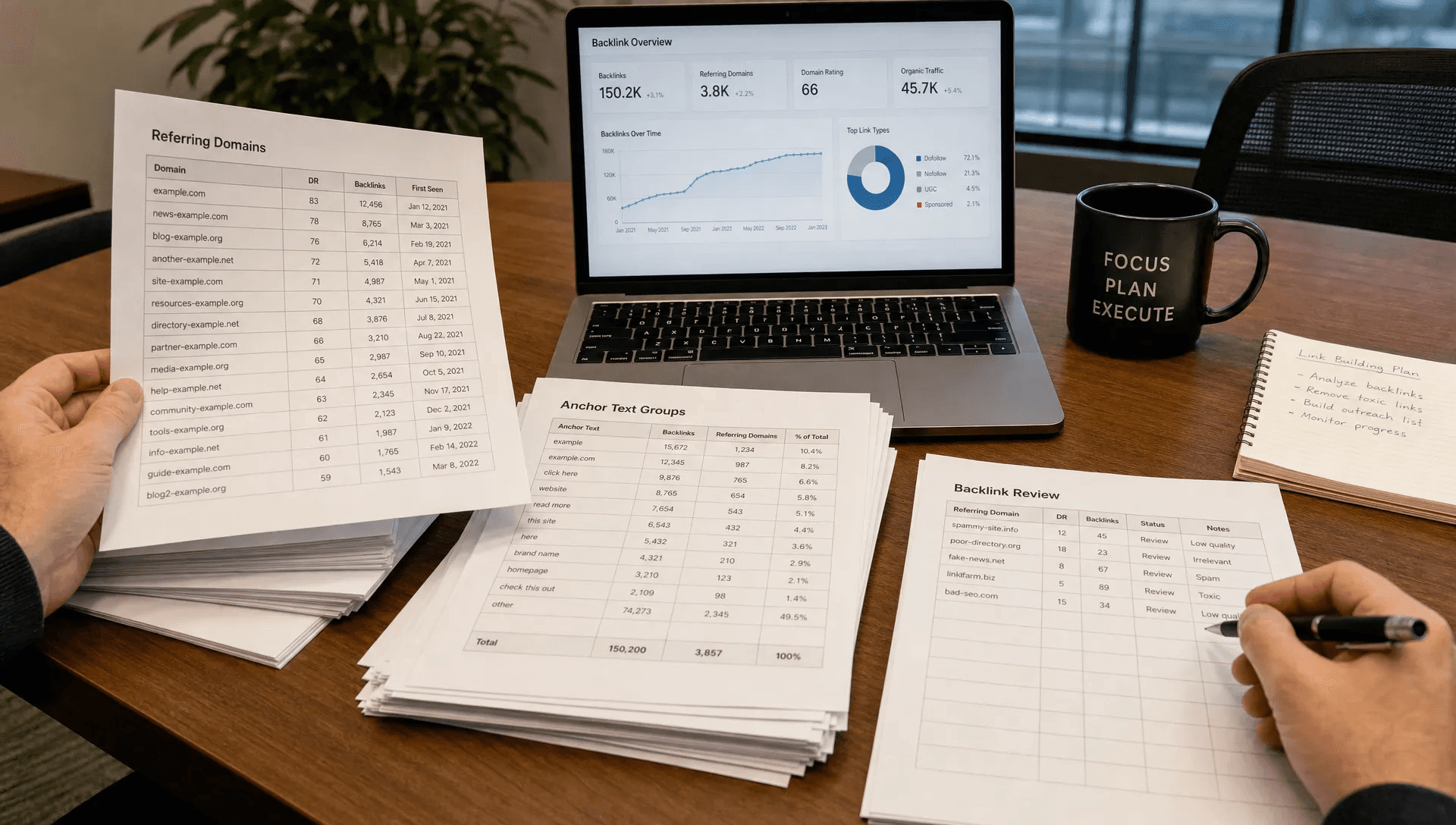
To find backlinks to a page accurately, pull data from more than one source and compare it against the exact URL you plan to refresh. Start with Google Search Console because it reflects links Google has discovered for your verified property. Then use a third-party index such as Ahrefs, Semrush, Majestic or Moz because each crawler sees a different part of the web.
If you are refreshing several URLs, keep them in one sheet and give each page its own tab or filter. For a broader site-level process, MediaBoost has a separate guide on how to find backlinks to your website and act on them, but the refresh workflow needs a narrower lens: one URL, its link sources, its anchors and its linked context.
Why page-level backlinks matter during a refresh
A backlink points to a specific destination for a reason. Sometimes the reason is obvious, such as a statistic, quote, template, case study or original image. Sometimes it is buried in the context around the link.
When you find backlinks to a page before editing it, you can separate cosmetic updates from changes that might affect the page's earned authority. Rewriting thin copy, improving structure and updating outdated screenshots are usually low risk. Removing a cited dataset, changing the URL, deleting a downloadable PDF or replacing a product explanation can be much riskier.
Search engines use links as one signal among many, but users also use links as pathways. If a journalist linked to your pricing study, a partner linked to your integration guide or a newsletter linked to your research asset, the refreshed page should still satisfy that visitor's expectation.
| Refresh decision | Backlink risk | What to check first |
|---|---|---|
| Update copy without changing the URL | Low to medium | Anchors, linked sections, cited facts |
| Remove an old section | Medium | Whether links mention that exact topic |
| Merge two pages | Medium to high | Strongest URL, redirect target, duplicate anchors |
| Change the URL | High | 301 redirect, canonical tags, internal links |
| Delete the page | Very high | Referring domains, business value, replacement page |
Gather backlink data from multiple sources
No backlink database is complete. Google Search Console, Bing Webmaster Tools and paid tools crawl the web differently, so your goal is not perfection. Your goal is enough coverage to make a confident refresh decision.
Use the exact destination URL in each tool whenever possible. Export the linking page, target URL, anchor text, link attribute, first seen date, last seen date and authority or quality metric if available. If a tool lets you filter by live links only, export live links first, then consider a separate export for lost links if the page has declined recently.
To find backlinks to a page with fewer blind spots, normalize URL variants before you judge the data. A page may have links pointing to HTTP and HTTPS versions, trailing slash and non-trailing slash versions, uppercase paths, UTM-tagged URLs or an old slug that redirects. These can all represent the same destination from a user perspective, but they may appear separately in backlink tools.
Google's own Search Console links report documentation is a useful reference if you are newer to exporting link data from a verified property. Third-party tools add competitive and historical context, but Search Console is still the first stop for pages you own.
Build a refresh backlink sheet
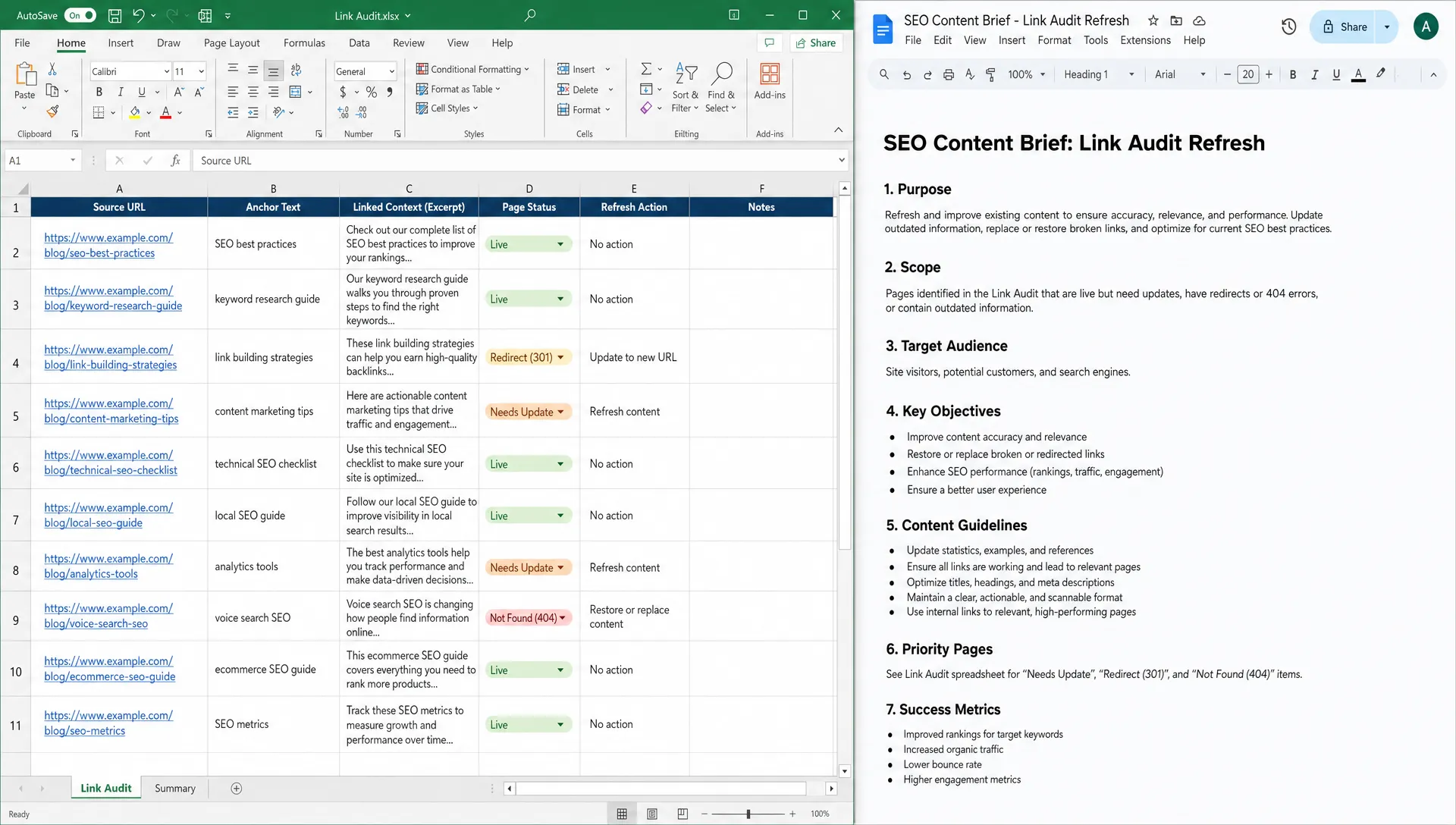
A clean sheet prevents a refresh from turning into guesswork. Keep the columns practical, not bloated. You want to know who links, why they link and what might break if the page changes.
Useful columns include source URL, source domain, target URL, anchor text, surrounding context, link type, page status, topical relevance, action needed and owner. The “surrounding context” column is especially valuable because it captures the sentence or paragraph around the backlink. That context often tells you what the linking author expected readers to find.
When you find backlinks to a page and add context notes, patterns appear quickly. A SaaS feature page may earn links because of one comparison table. A nonprofit resource may earn links because of a PDF checklist. An agency landing page may earn links from partner directories, campaign writeups or industry roundups.
For example, if a marketing resource links to an all-in-one direct mail platform because it discusses direct mail automation, tracking and attribution, a future refresh should preserve that topic match. The same logic applies to your own content: keep the substance that made the link useful, even if you rewrite the page around it.
Read the linking pages, not just the metrics
Backlink metrics are shortcuts. They can help you prioritize, but they cannot tell you whether a link matters to the page refresh. Open the linking pages that look relevant, especially those from media outlets, industry blogs, associations, universities, partners, customer stories and well-maintained resource pages.
Look at how the link is used. Is it part of a citation? A recommended tool list? A quote attribution? A press mention? A source for a statistic? A navigational partner link? These distinctions shape your update.
To find backlinks to a page in a way that protects SEO value, judge each strong link by relevance and intent. A link from a smaller niche publication can be more important than a generic high-metric link if it sends qualified users and supports the page's topical authority. MediaBoost's guide on how to analyze backlinks for quality, relevance and risk goes deeper on that evaluation.
This manual review also helps you spot risky links. If a page has many irrelevant anchors, scraped copies, foreign-language spam pages or low-quality directories, you may decide not to preserve every signal. A refresh is an opportunity to strengthen the page's legitimate value, not to obsess over every weak reference.
Match backlink intent to refresh decisions
Once you know why people link, map that intent to your refresh plan. This is where SEO and content strategy meet.
If links point to a statistic, keep the statistic updated and cite the methodology. If links point to a definition, keep a clear definition near the top. If links point to a tool or template, keep the tool accessible or replace it with a better version at the same URL. If links point to a press announcement, avoid rewriting it so heavily that it no longer matches the external mention.
When you find backlinks to a page with mixed intent, create a “must preserve” list before writing. This list may include the original headline concept, a chart, a quote, a product category, a downloadable asset or a named customer story. You do not have to freeze the page in time. You just need to respect the promise created by the inbound links.
A practical rule is simple: visitors who arrive from existing backlinks should not feel tricked. They can land on a better page, a clearer page or a more current page, but they should still find the topic they were sent to see.
Handle URL changes with extra care
Changing the URL is the highest-risk refresh decision because backlinks target addresses, not concepts. If the current URL has meaningful links, keep it whenever possible. You can refresh content, improve title tags, rewrite headings and update design without moving the page.
If a URL change is unavoidable, use a 301 redirect from the old URL to the most relevant new URL. Avoid redirecting all retired pages to the homepage. That may be convenient, but it often creates a poor user experience and weakens topical continuity.
To find backlinks to a page before a URL migration, include old slugs, campaign URLs and redirected versions in your export. This is especially important after rebrands, CMS migrations, internationalization changes or blog restructuring. You may discover that an old URL still has valuable referring domains even though it no longer appears in your main navigation.
Also check canonicals, noindex tags, robots.txt rules and internal links after the refresh goes live. A technically correct 301 can still underperform if the new page is accidentally noindexed, canonicalized elsewhere or buried without internal support.
Decide when to contact linking sites
Outreach is not always necessary. If you keep the same URL and preserve the linked context, most backlinks need no action. If you move a page, replace a downloadable asset or materially change the referenced claim, outreach can prevent confusion and earn cleaner links.
Prioritize outreach for high-value editorial links, partner pages, industry resource lists and pages that send referral traffic. Keep the message short. Explain that the resource has been updated, give the new URL if needed and mention why the update helps their readers.
When you find backlinks to a page that came from press coverage, digital PR or partner campaigns, treat those relationships carefully. Do not ask every publication to change links for minor wording updates. Save requests for cases where a link is broken, points to a retired page or now sends readers to outdated information.
For future campaigns, this is also where digital PR can help. Strong earned links are easier to preserve when the original asset has a clear angle, useful data and a stable destination. MediaBoost explains this broader approach in its guide to earning backlinks through digital PR.
Monitor the page after the refresh
The backlink check does not end when the new version goes live. Schedule a follow-up review after indexing has settled. For many sites, 2 to 6 weeks is enough to catch obvious problems, though competitive pages may need longer monitoring.
Track impressions, clicks, average position, referring traffic, indexed status, crawl errors and newly lost backlinks. If rankings dip briefly after a major rewrite, do not panic. If the page loses visibility and the strongest linking context was removed, revisit the page and restore the missing value in a cleaner way.
To find backlinks to a page after the refresh, rerun the same exports you used before the update and compare them with your baseline. Look for lost links from strong referring domains, links now pointing through redirect chains and anchors that no longer match the page's content. This comparison gives you evidence instead of relying on memory.
Keep a short refresh log as well. Note the publication date, major sections changed, URL decisions, redirects added and outreach completed. That log becomes useful when another team member reviews performance months later.
A simple pre-refresh backlink checklist
Use this checklist before you approve a major page update. It is intentionally short because the goal is action, not endless auditing.
- Export page-level backlinks from Search Console and at least one third-party tool.
- Normalize URL variants, including old slugs, redirects and tracking parameters.
- Review anchor text and the surrounding context on valuable linking pages.
- Identify sections, assets, claims or tools that existing backlinks depend on.
- Keep the URL when possible, or add a clean 301 redirect when a move is required.
- Check canonicals, indexability, internal links and page status after launch.
- Re-export backlink data after the refresh and compare it with your baseline.
If you can complete these steps, your refresh is less likely to erase earned authority. It also gives writers, developers and stakeholders a shared view of what must be protected.
Frequently Asked Questions
What is the fastest way to find backlinks to a page? The fastest method is to enter the exact URL into Google Search Console and a backlink tool such as Ahrefs, Semrush, Majestic or Moz, then export the linking pages and anchor text. For important refreshes, do not rely on one source because backlink indexes vary.
Should I refresh a page that already has strong backlinks? Yes, if the page is outdated or underperforming, but the refresh should preserve the reason those backlinks exist. Keep cited data, useful tools, named examples or core explanations unless you replace them with something clearly better.
Do I lose backlinks if I change the page URL? You do not automatically lose them if you implement a clean 301 redirect from the old URL to the most relevant new URL. Still, keeping the original URL is usually safer when the page has valuable backlinks.
How often should I check backlinks after refreshing a page? Check once before launch, again after the new version is indexed and then periodically for important pages. A 2 to 6 week follow-up is a practical starting point for many refresh projects.
Refresh content without wasting earned visibility
A good refresh improves the page without breaking the trust it has already earned. Before you rewrite, merge or move a URL, take time to find backlinks to a page, understand why those links exist and protect the elements that still matter.
If your brand also needs stronger media visibility around updated assets, announcements or evergreen pages, MediaBoost helps companies distribute press releases across 500+ publications with guaranteed live links, editorial review and proof reports. That kind of documentation can make future refreshes easier because you know where your placements live and what they point to.